A negative review feels personal. But here’s the reframe that changes everything: your response isn’t for the reviewer — it’s for every future customer who reads it. Prospects read your replies while deciding whether to call you. A calm, professional response to a harsh review can win more business than ten five-star reviews.
This guide gives you the exact framework to use every time, word-for-word response templates for six industries, and Google’s official process for dealing with fake reviews.
Why your response matters more than the review
- 80% of consumers say they’re likely to use a business that responds to all of its reviews (BrightLocal Local Consumer Review Survey)
The takeaway: silence is read as indifference. A missing response says “we don’t care” to every prospect who notices.
Google’s rules for responding (read this first)
Before the framework, the mechanics — all from Google’s official documentation:
You must verify your Business Profile before you can reply
No verified profile, no reply button. (Source: https://support.google.com/business/answer/3474050)
Your reply is public — and Google moderates it
Replies post publicly under your business name (your personal name isn’t shown). Google reviews your reply for content-policy compliance — usually within about 10 minutes, though it can take up to 30 days. (Source: https://support.google.com/business/answer/3474050)
The reviewer is notified — and can edit their review afterward
When you reply, the reviewer gets a notification. They can still edit their review after that, and the review date updates to the latest edit. Practical implication: a genuinely good resolution sometimes leads to an updated review — but don’t bank on it. (Source: https://support.google.com/business/answer/3474050)
Never post private customer details in a reply
No addresses, invoice amounts, appointment records, or personal data — even to “prove your side.” It reads badly, and it can violate Google’s content rules. (Source: https://support.google.com/business/answer/3474050)
You can edit or delete your own reply
Replied in anger at 11pm? Fix it in the morning: go to Reviews, find your reply, choose Edit, and update it. (Source: https://support.google.com/business/answer/3474050)
The 5-part response framework (use it every time)
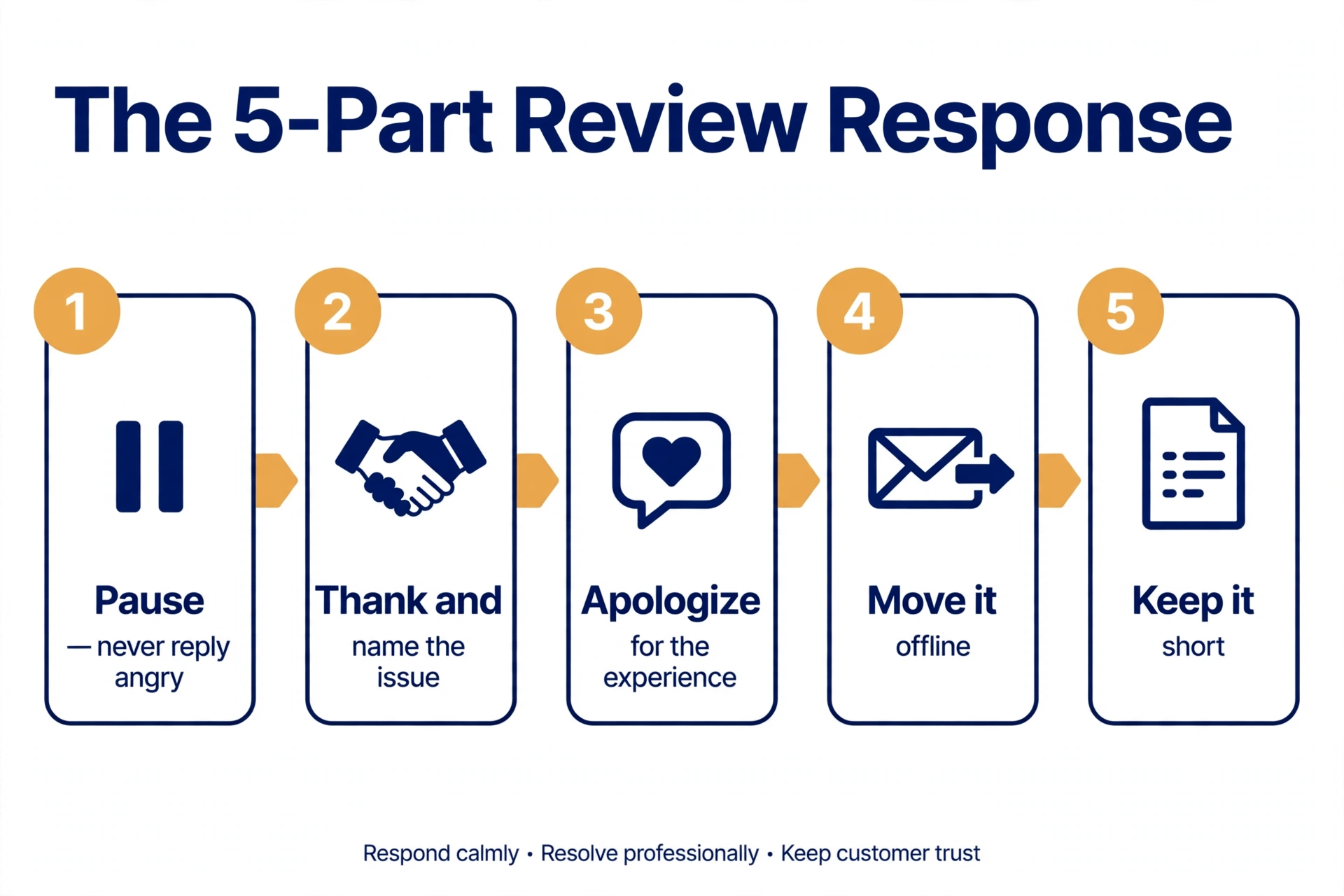
This is the core of the whole guide. Five steps, in order, for every negative review:
- Pause. Never reply angry. Draft your response, wait an hour (or overnight), then re-read it before posting.
- Thank them and name the specific issue — the wait, the bill, the haircut — using their words. It proves you actually read it.
- Apologize for the experience, not necessarily the fault. “We’re sorry your visit felt this way” is safe. Whether to admit fault is a judgment call — this guide is not legal advice.
- Move it offline. Give a real contact path: a phone number or email, and a name if possible. The public thread should end with an invitation, not an argument.
- Keep it short. Long replies read as defensive. Three to five sentences is the sweet spot.
The “never” list
- Never argue the facts or call the reviewer a liar in public. Even when you’re right, you lose.
- Never copy-paste the identical reply under every review. Readers notice, and it reads as canned.
- Never promise outcomes you can’t guarantee (“this will never happen again”).
- Never ask them publicly to change or remove the review. Resolve it privately; let any update be their idea.
Response examples by industry
The examples below are illustrative templates written for this guide — not real reviews, not real businesses, and not real outcomes.
Each template has [bracketed] spots to customize. Keep your final version in the 40–70 word range.
Restaurant
Scenario: A diner complains about a long wait and cold food on a busy Friday night.
Thank you for telling us about your Friday visit, [Name] — a long wait followed by cold food is not the evening we want anyone to have. We’re sorry it went that way. We’d like to make it right: please reach out to [manager name] at [phone/email] so we can hear more. — [Your name], [Restaurant name]
Salon / barbershop
Scenario: A client says the haircut (or color) didn’t match what they asked for.
Thank you for your honest feedback, [Name]. We’re sorry the [cut/color] wasn’t what you pictured — that’s frustrating, and we take it seriously. We’d love the chance to fix it: please call or text us at [number] and ask for [stylist/manager name]. — [Your name], [Salon name]
Cleaning service
Scenario: A client says the team missed rooms — or broke an item.
Thank you for letting us know, [Name], and we’re sorry about [the missed rooms / the damaged item]. That’s not our standard. We’d like to come back and make it right — please contact [name] at [phone/email] so we can schedule a re-clean and discuss the damage. — [Your name], [Business name]
Plumber / HVAC contractor
Scenario: An emergency call arrived late, and the final bill was higher than the phone estimate.
Thank you for the review, [Name]. We’re sorry we arrived later than promised and that the final cost surprised you — emergency calls are unpredictable, but we should have communicated better. Please call [name] at [number] so we can walk through the invoice together. — [Your name], [Company name]
Auto repair shop
Scenario: A customer says the repair didn’t fix the problem and they feel upsold.
Thank you for bringing this to our attention, [Name]. We’re sorry the [repair] didn’t resolve the issue — we understand how frustrating that is, especially after what you paid. Please come back in or call [name] at [number]; we’ll re-diagnose it at no charge. — [Your name], [Shop name]
Retail store
Scenario: A shopper complains about rude staff and a refused return.
Thank you for telling us, [Name], and we’re sorry about your experience with our team and the return. That’s not how we want customers to feel in our store. We’d like to look into this: please reach out to [manager name] at [phone/email]. — [Your name], [Store name]
How to handle fake or policy-violating reviews
Step 1 — “Unfair” is not the same as “policy-violating”
Google only removes reviews that break its content policies — not reviews you disagree with. Google explicitly says it doesn’t mediate disputes between businesses and customers. Report only genuine violations: spam, fake content, off-topic reviews, harassment, hate speech, or personal information. (Source: https://support.google.com/business/answer/4596773)
Step 2 — Report it (Google’s official flow)
- Go to your Business Profile → Read reviews.
- Next to the review, select Report.
- Choose the reason that fits best (Spam, Profanity, etc.) — pick accurately, not the closest-sounding option.
- Choose Send report. Evaluation typically takes several days. (Source: https://support.google.com/business/answer/4596773)
Step 3 — Track it and appeal once if needed
Check your report’s status in Google’s Reviews Management Tool. The statuses move from Decision pending → Report reviewed – no policy violation → and if you disagree, you get one appeal (up to 10 reviews) → Escalated – check your email. (Source: https://support.google.com/business/answer/4596773)
Step 4 — Respond publicly anyway, calmly
While you wait, post a brief professional reply. Template:
Thank you for your review. We can’t find a record of your visit in our system, but we’d like to look into this — please contact [name] at [phone/email] so we can help.
Future customers read your composure, not just the accusation.
Extortion scams get a separate path
If someone demands payment to remove bad reviews, Google has a dedicated reporting flow for review extortion. Use it — and don’t pay. (Source: https://support.google.com/business/answer/4596773)
When NOT to respond (or respond differently)
- Star-only reviews with no text: a one-line thank-you is enough. Don’t overthink it.
- Old reviews: a brief late reply still signals an attentive business. Better late than never.
- Reviews with legal threats or defamation claims: keep any reply minimal and factual, and consult an attorney before engaging further. This guide is not legal advice.
- Reviews you’re reporting as fake: still post the brief calm reply from Step 4 above — silence looks worse than a composed placeholder.
How fast should you respond?
Best practice (industry consensus, not a Google rule): within 24–48 hours — same day when you can. Turn on review notifications in your Business Profile so nothing sits for a week, and assign one person as the owner of replies.
And respond to positive reviews too. Replying only to complaints looks defensive; replying to everyone looks like a business that pays attention.
The Negative Review Response Template Pack (copy-paste)
All six industry templates above, plus the fake-review reply and the 5-part framework as a one-page checklist — copy any of them directly from this article; they’re written to be compliant as-is. (We’re also preparing this pack as a downloadable PDF; it will be linked here when it’s ready.)
Frequently asked questions
Can I delete a negative Google review?
No. Only Google can remove reviews, and only for policy violations. You can report a review; you can’t delete it yourself.
Will responding to reviews improve my Google ranking?
Google hasn’t confirmed a direct ranking boost from replying. What responses provably do: build trust with readers and keep your profile active. That’s the honest claim.
Should I offer a refund or discount in my reply?
Resolve compensation privately. Never publicly condition a refund or discount on the reviewer changing or removing their review.
What if I suspect the reviewer was never a customer?
Report it if it violates Google’s policies, and post a brief, factual reply in the meantime (see the Step 4 template above).
Can I edit my response after posting?
Yes. Go to Reviews in your Business Profile, find your reply, choose Edit, and update it.
Do I have to respond to every review?
You don’t have to — but responding to all reviews, positive ones included, is the pattern readers trust most.
Can I delete a negative Google review?
No. Only Google can remove reviews, and only for policy violations. You can report a review; you can’t delete it yourself.
Will responding to reviews improve my Google ranking?
Google hasn’t confirmed a direct ranking boost from replying. What responses provably do: build trust with readers and keep your profile active. That’s the honest claim.
Should I offer a refund or discount in my reply?
Resolve compensation privately. Never publicly condition a refund or discount on the reviewer changing or removing their review.
What if I suspect the reviewer was never a customer?
Report it if it violates Google’s policies, and post a brief, factual reply in the meantime (see the Step 4 template above).
Can I edit my response after posting?
Yes. Go to Reviews in your Business Profile, find your reply, choose Edit, and update it.
Do I have to respond to every review?
You don’t have to — but responding to all reviews, positive ones included, is the pattern readers trust most.
Last updated: September 28, 2026. Google’s review response and reporting flows change periodically — the policy section above was last verified against Google’s published documentation on this date.
Related reading: How to Get More Google Reviews (The Legitimate Way) — the best defense against negative reviews is a steady flow of genuine positive ones. And if a review dispute ever escalates to a listing suspension, see Google Business Profile Suspended? How to Fix It (2026).
2 thoughts on “How to Respond to Negative Google Reviews (+ Examples)”
Comments are closed.