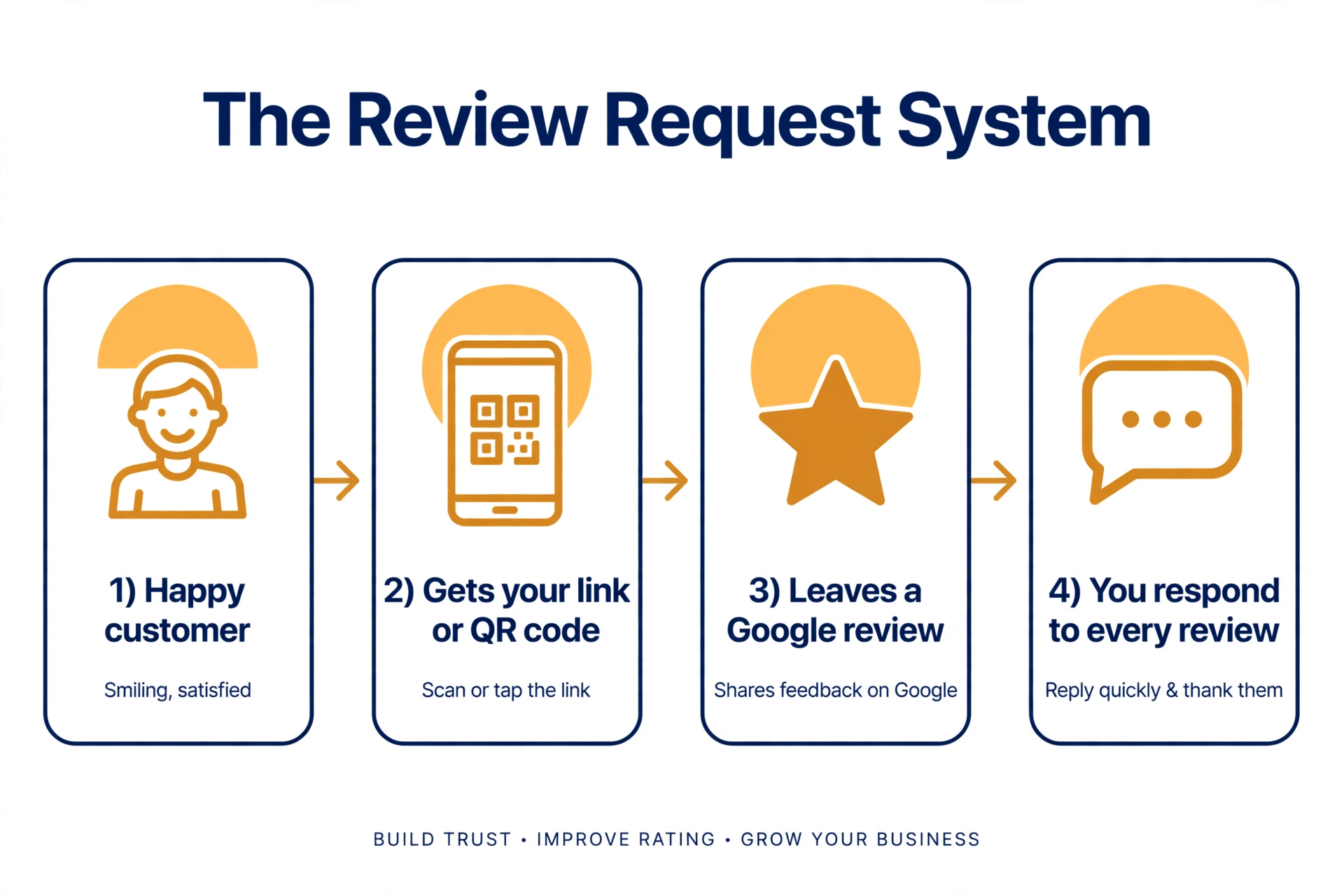
Most local businesses don’t have a review problem. They have a review process problem: they do good work, customers leave happy, and nobody ever asks them to write about it. So the business sits at 14 reviews while a worse competitor has 300.
This guide gives you a simple, repeatable, 100%-policy-compliant system for getting more Google reviews: what Google’s rules actually allow, the exact technical setup, word-for-word scripts for asking, and the right timing for your industry.
One reassurance up front, because it’s the question every owner asks first: yes, asking customers for reviews is allowed. Google says so explicitly in its own policies (linked below). Everything in this guide follows Google’s published rules — no gray areas, no tricks.
Why Google reviews matter more than ever
What the data actually says
- 97% of consumers read reviews, and the average consumer checks about 6 review sites before choosing a business. Google is the number-one stop — 71% of review readers use it, and Google collects roughly 45% of all reviews written (BrightLocal consumer survey, reported via vyzz.io: https://vyzz.io/blog/your-customers-read-six-review-sites-before-they-pick-you).
- 96% of consumers say they’re open to writing a review (BrightLocal Local Consumer Review Survey 2025: https://www.brightlocal.com/learn/how-can-i-educate-my-clients-on-local-seo/). The gap isn’t willingness — it’s that nobody asks.
- 79% of US consumers believe they’ve read a fake review in the last year (BrightLocal research: https://www.brightlocal.com/research/new-research-shows-79-us-consumers-believe-theyve-read-fake-review-last-year/). Doing this legitimately isn’t just compliance — it’s a competitive advantage, because customers are getting better at spotting the fakes.
Reviews now feed AI answers too
Consumers asking generative AI tools for local recommendations jumped from 6% in 2025 to 45% (BrightLocal, 2026: https://www.brightlocal.com/blog/5-review-management-tactics-for-agency-success-in-2026/). Those AI tools pull from the same review signals Google uses. More real reviews means more visibility in AI answers as well as in the map pack.
What reviews do for the business
Reviews are a visibility signal for Google’s local rankings, they drive the click (star rating and recency influence which listing a searcher taps), and they’re free operational feedback — customers literally tell you what to fix. This guide won’t promise you a specific ranking boost or review count. Anyone who does is guessing.
Google’s rules — what you can and can’t do
This section is the foundation everything else rests on. Every claim below comes directly from Google’s published policies.
What Google explicitly allows
Google’s policy on prohibited and restricted content for Business Profiles states that you may “solicit or encourage the posting of content that does represent a genuine experience, without offering incentives to do so or attempting to influence the rating or the contents of the review.”
In plain English: asking a real customer to share their honest experience is 100% fine. (Source: https://support.google.com/business/answer/7400114)
What’s prohibited
Each of these comes from the same Google policy page:
- Offering incentives — payment, discounts, or free goods or services — in exchange for posting, revising, or removing a review.
- Discouraging negative reviews, or selectively soliciting only positive ones. This is called review gating, and it’s one of the most common violations.
- Pressuring customers to leave a review while they’re on your premises, or telling them what to write in the review.
- Staff review quotas, or asking staff to solicit reviews that name specific staff members. (Google added these clauses to its policy in 2026 — most older guides don’t mention them.)
- Fake engagement — paid reviews, posting from multiple accounts, or tampering with devices. Google removes these.
- Reviews from people with a conflict of interest — your employees, family members, or competitors — misrepresenting themselves as genuine customers.
Google’s own tips page reinforces this: incentivized reviews count as “fake and misleading content” and are strictly prohibited. The same page recommends replying to reviews in a professional, timely manner (more on that in the response guide). (Source: https://support.google.com/business/answer/7035772)
It’s not just Google’s rules — it’s the law
The FTC’s Trade Regulation Rule on the Use of Consumer Reviews and Testimonials (16 CFR Part 465), effective October 21, 2024, makes the following federal violations: fake or false reviews, buying positive or negative reviews, undisclosed insider reviews, company-controlled review sites presented as independent, and suppressing honest negative reviews. Violations carry significant civil penalties per violation. (Sources: https://www.ftc.gov/news-events/news/press-releases/2024/08/federal-trade-commission-announces-final-rule-banning-fake-reviews-testimonials and https://www.alston.com/en/insights/publications/2024/10/ftc-issues-final-rule-on-fake-reviews-testimonials)
The plain-English takeaway: the “shortcut” sellers — review farms, paid 5-star services, “reputation boosters” in your DMs — aren’t selling you marketing. They’re selling you legal risk.
The one-sentence test: if you have to hide the tactic from Google, don’t do it.
Step 1 — Set up your review link and QR code
Goal: remove every step between “happy customer” and “review submitted.” Every extra click costs you reviews.
Get your official “Ask for reviews” link
While signed into the Google account that manages your profile, search for your business name on Google. In the profile management panel, choose “Ask for reviews” — Google generates a short link you can copy and share anywhere.
One caution: Google renames these buttons from time to time. If the exact label has changed, look for the review-sharing option in the same panel — the function is the same.
The Place ID method
If you manage multiple locations or want a link that never depends on the dashboard, build it manually:
https://search.google.com/local/writereview?placeid=YOUR_PLACE_IDFind your Place ID with Google’s Place ID finder, drop it into that URL, and you have a permanent review link. Same destination, no dashboard needed.
Turn the link into a QR code
Generate a QR code from your review link with any reputable QR generator, then put it everywhere the customer already looks:
- Printed on receipts and invoices, near the thank-you line
- Table tents or counter cards at checkout
- Service completion paperwork (the form the tech hands over)
- Your email signature and website thank-you page
One practical note: customers need a Google account to leave a review — but it doesn’t have to be a Gmail address. Any Google account works.
Step 2 — Pick your “review moments”
The rule: ask at the moment the customer feels the value — not a week later, not at some random time.
The four universal moments
- Right after the job is done — the “problem solved” moment, when satisfaction peaks.
- When the customer compliments you unprompted — “This looks amazing!” is your cue.
- After you fixed a problem — a good recovery often creates more loyalty than a flawless visit.
- At a natural repeat-visit milestone — the 2nd or 3rd visit for recurring services.
Timing by channel
- In person: at handoff, while you’re wrapping up.
- SMS: same day, a few hours after the visit.
- Email: 1–2 days after.
- Receipt QR: at the moment of payment.
Step 3 — What to actually say (scripts and templates)
Short, specific, zero pressure. Every script ends with the link or QR — never with a condition.
In person (the 10-second ask)
“Thanks for coming in today — if you have a minute, a quick Google review really helps other locals find us. Here’s a QR code that takes you straight there.”
By SMS/text
“Hi [Name], thanks for choosing [Business] today! If we earned it, would you share a quick Google review? It takes about a minute: [link]”
Note: only text customers who opted in to messages, and keep it to one follow-up. Two texts about a review starts to feel like pressure.
By email
Subject: Quick favor?
“Thanks for working with us. If you have 60 seconds, would you share a Google review of your experience? Here’s the direct link: [link]. Either way, thanks for your business — [Name].”
On the receipt, invoice, or thank-you page
“Enjoyed your visit? Scan to leave us a Google review — thank you!” (+ QR code)
What never to say
- “Leave us a 5-star review” — that’s attempting to influence the rating. Prohibited.
- “Mention [employee name] in your review” — requesting specific content, including staff names. Prohibited (2026 policy addition).
- “We’ll give you 10% off for a review” — an incentive. Prohibited, and an FTC violation.
- Hovering with a tablet until they write something — on-premises pressure. Prohibited.
- Only asking the customers who look happy — that’s review gating. Prohibited.
Step 4 — Catch problems privately first (without gating)
Here’s a workflow that resolves complaints before they become public reviews — without crossing into gating:
- Ask privately first. After the service, send a simple check-in: “How did we do?” with a private reply channel (a reply to the text, a short form).
- Fix real problems, genuinely. If something went wrong, make it right — that’s just good business.
- Everyone gets the review link. Happy or unhappy, fixed or not — the link goes to all customers.
Why this isn’t review gating
Gating means filtering who receives the link based on sentiment — sending it only to the happy ones. This workflow sends the link to everyone; it simply gives unhappy customers a private channel first. Google prohibits “discouraging or prohibiting negative reviews, or selectively soliciting positive reviews” — fixing a problem privately and then asking everyone is good service, not selective solicitation.
Step 5 — Playbooks by industry
Generic scripts get generic results. Here’s how the system adapts to four common local business types.
Salons and barbershops
The chair-side ask works best: while you’re ringing them up — “Loved how this turned out? A quick Google review helps more than you know” — with a QR card at the register. Add the review link to your booking-confirmation text after the appointment, not before. And remember the 2026 rule: no staff quotas, and never ask clients to mention a stylist by name.
Cleaning businesses
Text the review link after the first clean, ideally alongside before/after photos (with the client’s permission — the photos make the review feel worth writing). For recurring clients, ask at the 3rd visit, once the relationship is established. A door-hanger card with a QR code left after each clean keeps working when you’re not there.
Plumbing and home services
The technician’s 10-second ask at job completion is your highest-converting moment: “Everything working? If you’re happy, a quick Google review at this link really helps our small business.” Back it up with an automated dispatch text 2–4 hours later: “Your tech just finished up — how did we do? [link]”. The office follows up once, maximum.
Restaurants and coffee shops
Print the QR code on the receipt next to the thank-you line, and train servers on a one-line ask when presenting the check: “If you enjoyed everything, there’s a QR code on your receipt for a quick review — thank you!” Never pressure during the meal — a table tent demanding reviews while people eat backfires.
Step 6 — Measure what’s working
The four numbers that matter
- Review velocity — new reviews per 30 days. Keep it steady; recency matters to both Google and readers.
- Average star rating — watch the trend, not just the number.
- Response rate — aim to respond to 100% of reviews. (Our companion guide covers how to respond, including the negative ones.)
- Review content — are customers mentioning your actual services? That’s map-pack fuel — Google reads review text too.
Where to track it
Your Google Business Profile dashboard has a Reviews section with the basics. Beyond that, a simple monthly spreadsheet — date, count, average rating, responded yes/no — beats no tracking at all.
The Review Request Template Pack (copy-paste)
Everything above, in one place, ready to use today:
- 6 SMS templates — post-visit follow-up, the compliment-catcher, the recovery ask, the milestone ask, the gentle one-time reminder, and the multi-location variant.
- 3 email templates — the 60-second ask, the post-project wrap-up, and the newsletter PS line.
- In-person scripts for salons, cleaning, plumbing, and restaurants (from Step 5 above).
- Printable assets checklist — QR table tent, counter card, receipt footer line, door-hanger card, service paperwork insert.
- The private-feedback-first workflow as a one-page checklist for your team.
Copy any script from this article directly — they’re written to be compliant as-is. (We’re also preparing this pack as a downloadable PDF with printable QR assets; it will be linked here when it’s ready.)
Mistakes that get reviews removed — or worse
- Buying reviews from farms or Fiverr-style sellers → fake engagement (Google) + federal violation (FTC).
- “Review us, get 10% off” promos → prohibited incentive.
- Emailing only customers who gave 5 stars in a survey → review gating.
- Having staff or family post reviews → conflict of interest; undisclosed insider reviews violate the FTC rule.
- A review-station tablet at the counter → on-premises pressure.
- Keyword-stuffing your responses (“Thanks for choosing BEST DALLAS PLUMBER!”) → keep replies natural.
Worst case, these don’t just lose you reviews — review manipulation is one of the behaviors that can get your entire Business Profile suspended. If that happens, our reinstatement guide walks through Google’s official appeal process: Google Business Profile Suspended? How to Fix It (2026).
Frequently asked questions
Is it allowed to ask customers for Google reviews?
Yes. Google explicitly allows soliciting reviews of genuine experiences. What’s prohibited is offering incentives, gating (only asking happy customers), pressuring customers, or telling them what to write. (Source: Google’s Business Profile policies: https://support.google.com/business/answer/7400114)
Can I offer a discount or freebie for a review?
No. Google classifies incentivized reviews as fake and misleading content, and the FTC’s 2024 rule independently prohibits incentivized reviews. A discount-for-review promo risks both your listing and federal penalties.
Can I ask only my happiest customers?
No — that’s review gating, which Google explicitly prohibits (“selectively soliciting positive reviews”). Ask everyone; use the private-feedback-first workflow to catch problems early.
Can my employees or family leave us reviews?
They have a conflict of interest. Undisclosed insider reviews violate Google’s policy, and the FTC rule requires clear disclosure of any material connection between reviewer and business. In practice: don’t do it.
Can I ask customers to mention a staff member by name?
No. Google’s policy prohibits requesting specific content in reviews, and it specifically added staff-name requests to the prohibited list in 2026.
Do I have to respond to every review?
Google’s own guidance recommends replying to reviews — and it converts readers who are deciding between you and a competitor. Aim for 100%. (Our companion guide to responding to negative reviews covers the hard half of this.)
Why did a legitimate review disappear?
Google filters reviews through spam detection, and legitimate reviews sometimes get caught or delayed — especially from new accounts or after policy sweeps. Google has a help page on missing and delayed reviews. Don’t ask the customer to repost repeatedly; that creates its own problems.
A competitor (or ex-employee) left a fake review — what do I do?
Flag and report it through your Business Profile, respond calmly and factually in the meantime (never accuse publicly), and never retaliate with a fake review of your own. Our guide to responding to negative Google reviews covers the response playbook in detail.
Last updated: September 28, 2026. Google’s review policies change periodically — the policy section above was last verified against Google’s published documentation on this date.
Related reading: Google Business Profile Suspended? How to Fix It (2026) — what to do if review-policy violations (or anything else) get your listing suspended. New to Business Profiles? Set yours up correctly first: How to Set Up Google Business Profile: The Complete 2026 Checklist.
2 thoughts on “How to Get More Google Reviews (The Legitimate Way)”
Comments are closed.